Fast execution
Inject and run Lua in under a second. The rewritten engine is tuned for low latency so scripts fire the moment you press Execute.
Run Lua scripts, attach in seconds and browse a built-in script hub. The app gives you a clean editor, real-time output and a stable injection — without paywalls or keys. Fully rebuilt for August 2026.
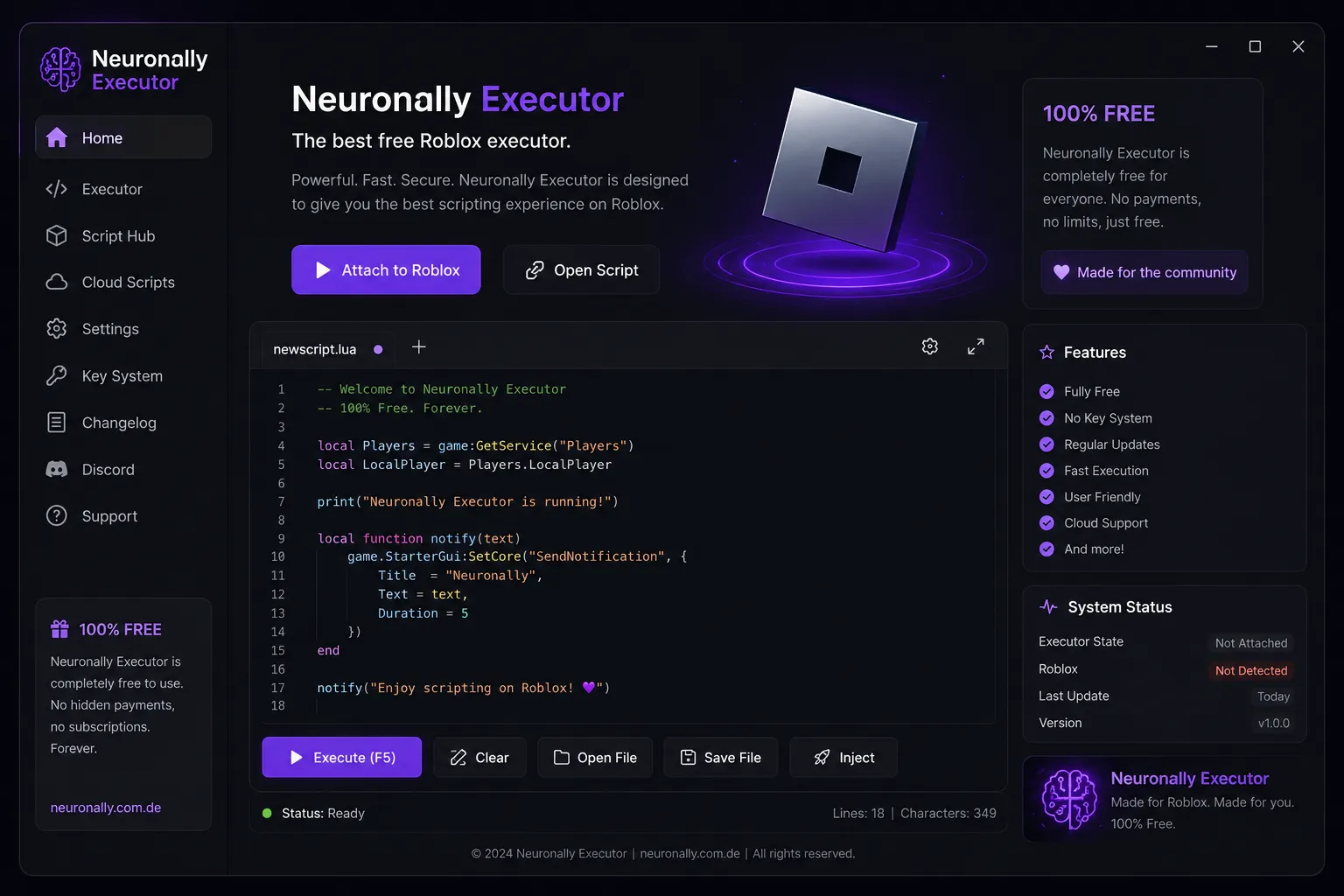
A focused toolset that keeps execution fast and the workflow simple.
Inject and run Lua in under a second. The rewritten engine is tuned for low latency so scripts fire the moment you press Execute.
No checkpoints, no link shorteners, no waiting. Open the app, attach to Roblox and start — every time.
Browse ready-made scripts from the Script Hub, or load your own files. Save, rename and switch tabs without leaving the editor.
Keep your favourite scripts synced and reachable across sessions, so your setup follows you to any machine.
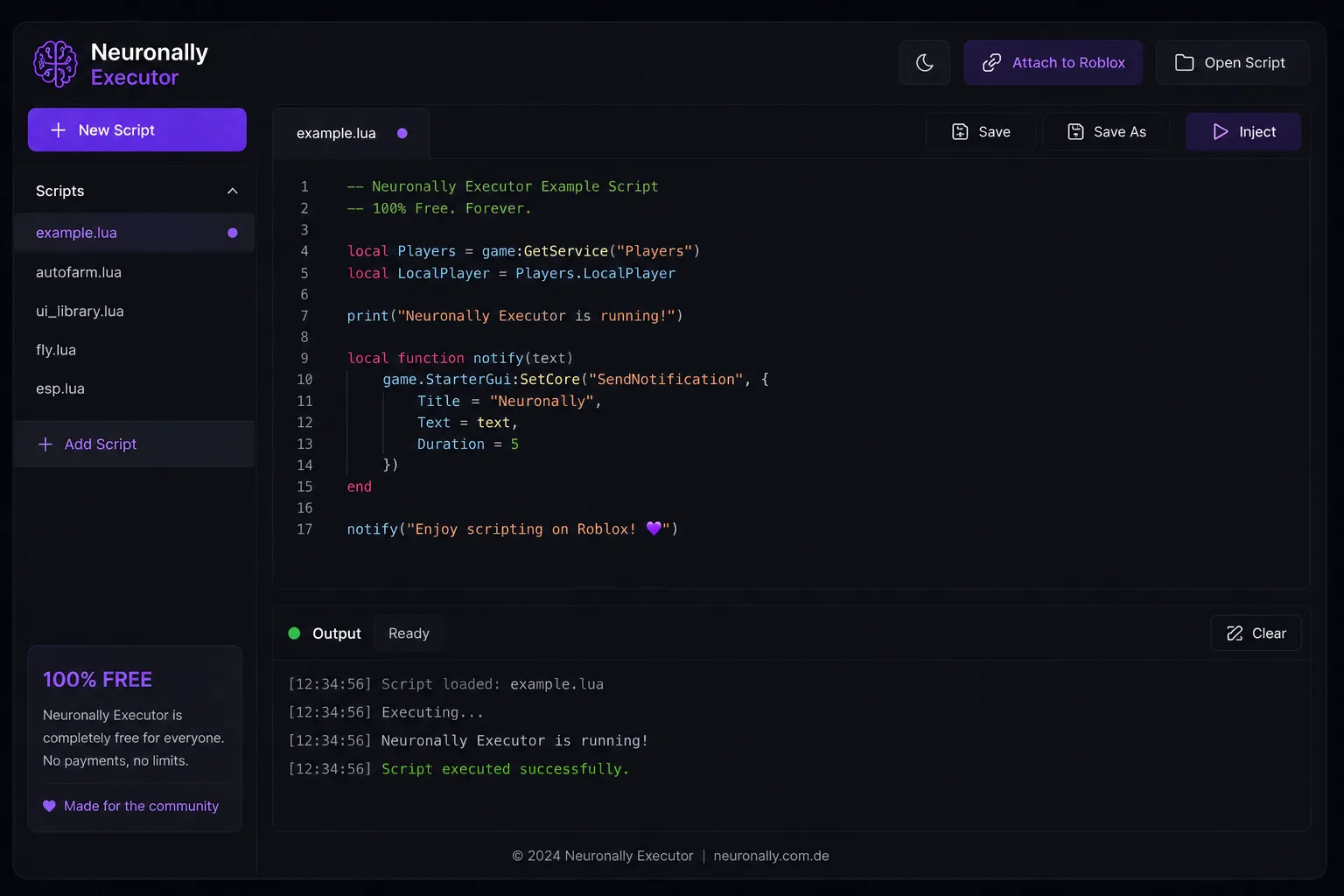
Syntax highlighting, line numbers and a live output console. Light and dark themes ship in the box.
A lighter runtime option that cuts RAM usage by up to 30% on low-end machines, with no visible loss in speed.
The editor puts your code first. Open multiple tabs, watch timestamped output as scripts run, and inject without digging through settings. Everything sits one click away in the sidebar.
Grab the latest Windows build from this page. The installer is light and sets up in under a minute.
Launch any Roblox experience, then open Neuronally Executor alongside it.
Click Attach to Roblox. The status panel turns green when the executor is ready.
Paste or pick a script, press Execute, and read the result in the output console.
Tuned for the latest Roblox client and a wide range of community scripts.
| OS | Windows 10, Windows 11 |
|---|---|
| RAM | 2 GB minimum · 4 GB recommended |
| Disk | 150 MB free space |
| Network | Stable connection for updates |
| Roblox | Latest client version |
|---|---|
| Language | Full Lua / Luau API |
| Scripts | Script Hub + your own files |
| Themes | Light and dark |
One build, every feature unlocked. No key, no payment.
The v1.2.0 build that shipped in August 2026 brings a lot under the hood.
Attach speed improved by around 40% and stability is noticeably better on the newest Roblox client. Fewer failed attachments, faster first execute.
New lightweight runtime that trims RAM usage by up to 30% on weaker machines — ideal if you run Roblox on minimum settings.
The library grew by roughly 25% with new categories, better search and one-click script loading straight into the editor.
Rebuilt sync engine that pushes your scripts between devices faster and handles larger files without stalling the editor.
A cleaner multi-tab sidebar, autosave, refined syntax highlighting and a smoother light/dark theme toggle.
The package dropped from about 48 MB to roughly 44 MB while also shipping fewer false-positive warnings on Windows SmartScreen.
There are plenty of decent executors around — we take each seriously. Still, we think Neuronally wins on the points that actually matter day to day.
Fluxus is a long-standing name with a solid reputation, but it still leans on key systems and link shorteners that slow you down every session. Neuronally skips all of that — download, attach and run with no waiting. Where Fluxus expects you to fight through verification, we give you a clean, key-free experience from the very first launch.
Madium brings a modern interface and decent execution, which we respect. What it lacks is a truly built-in script hub and dependable cloud sync on every build. Neuronally ships both in the box, along with an editor that keeps your scripts organized without jumping between tools. We think the workflow difference is easy to feel.
Velocity is fast and lightweight, and that speed is genuinely good. The trade-off is a thinner feature set — no proper script hub, no cross-device sync. Neuronally matches that speed with the new injection core while still giving you a full editor, script library and cloud scripts. You get the speed you liked, plus the features Velocity leaves out.
Delta is feature-rich and widely used, and we won't pretend otherwise. The catch is a heavier installer and a cluttered interface that gets in the way of quick scripting. Neuronally keeps the essentials — robust Lua support and reliable attach — in a lighter, cleaner app that behaves exactly how you expect and nothing you don't.
Matcha is clean, minimal and easy to pick up, which is a fair point in its favour. Where it falls short is update cadence and platform reach, with releases that lag behind the newest Roblox builds. Neuronally updates frequently, stays compatible with the latest client and adds a performance mode for low-end machines — the same simplicity, but kept current.
Luna runs scripts dependably and has a loyal following, so we treat it as a real rival. Its weakness is a more closed feature set and an editor that lacks autosave and proper tab management. Neuronally gives you a full multi-tab editor, autosave, a live console and cloud sync — everything Luna saves for a paid tier or an update that may never land.
Build notes for the most recent releases.
Yes. The full build is free with no payments or subscriptions. Every feature is unlocked from the first launch.
No. There are no keys, checkpoints or link shorteners. Download, open the app and attach to Roblox to start scripting.
Windows 10 and Windows 11. A stable internet connection is recommended so the app can fetch updates.
New builds arrive regularly to keep the executor compatible with the latest Roblox release. You can follow them in the changelog.
Yes. Load local .lua files or pick from the built-in Script Hub, then run them straight from the editor.
More: features · app tour · setup guide · requirements · download · changelog
We take safety seriously. The current build is scanned on every release and checked against Google's Safe Browsing service, so you can run it knowing the file has been verified by third parties before it ever reaches you.
No malware, no bundled adware, no key grabbers. Every build passes the latest checks before it's posted.
We'd rather be honest than polished. Here's what Neuronally does well — and where it's still catching up.
Join the community using Neuronally Executor — free, fast and key-free.